

A Practical Authentication Guide for Pokémon & TCG Collectors.
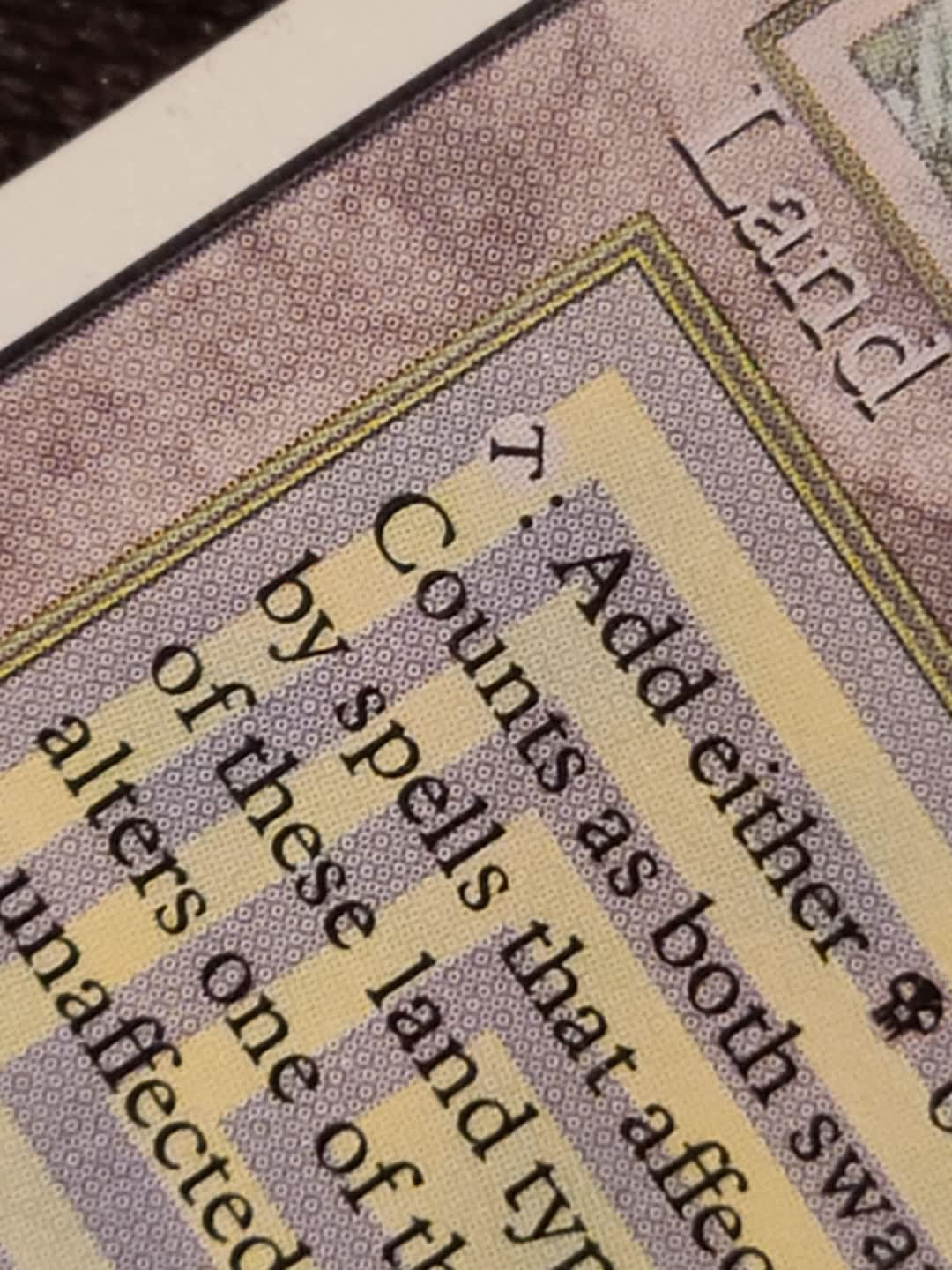
These flower-like clusters appear only on professionally printed cards.
1. Why Every Pokémon Collector Should Understand Rosette Patterns
If you buy, trade, or sell Pokémon cards—especially on marketplaces, Discord, or card shows—you’ve definitely seen fake cards. Some look terrible, but others can look extremely convincing at normal viewing distance.
But there is one thing counterfeiters still fail at:
They cannot accurately reproduce rosette patterns, the microscopic halftone structure of authentic offset printing.
This guide explains:
-
What a real rosette looks like -
What fake rosettes look like -
How to check your own cards with a loupe or USB microscope -
How to compare legit vs fake prints in minutes
Everything is written for non-technical card collectors—no printing expertise required.
2. What Is a Rosette Pattern? (The Pokémon Collector Explanation)
Pokémon cards are printed using industrial offset printing, the same process used for banknotes, textbooks, and magazines. Offset printing mixes Cyan, Magenta, Yellow, and Black (CMYK) ink using tiny dots arranged in precise angles.
When these dots overlap, they form tiny flower-like shapes.
🌸 These tiny flowers create the rosette pattern.
Why it matters:
-
Rosettes are perfectly consistent across the entire sheet. -
Dot size, angle, spacing, and color separation are machine-precise. -
No home printer, hobby printer, or low-cost factory setup can recreate this pattern.
"If a fake card is like pixel art from Minecraft, a real card is like a machine-woven fabric—every stitch perfectly aligned."
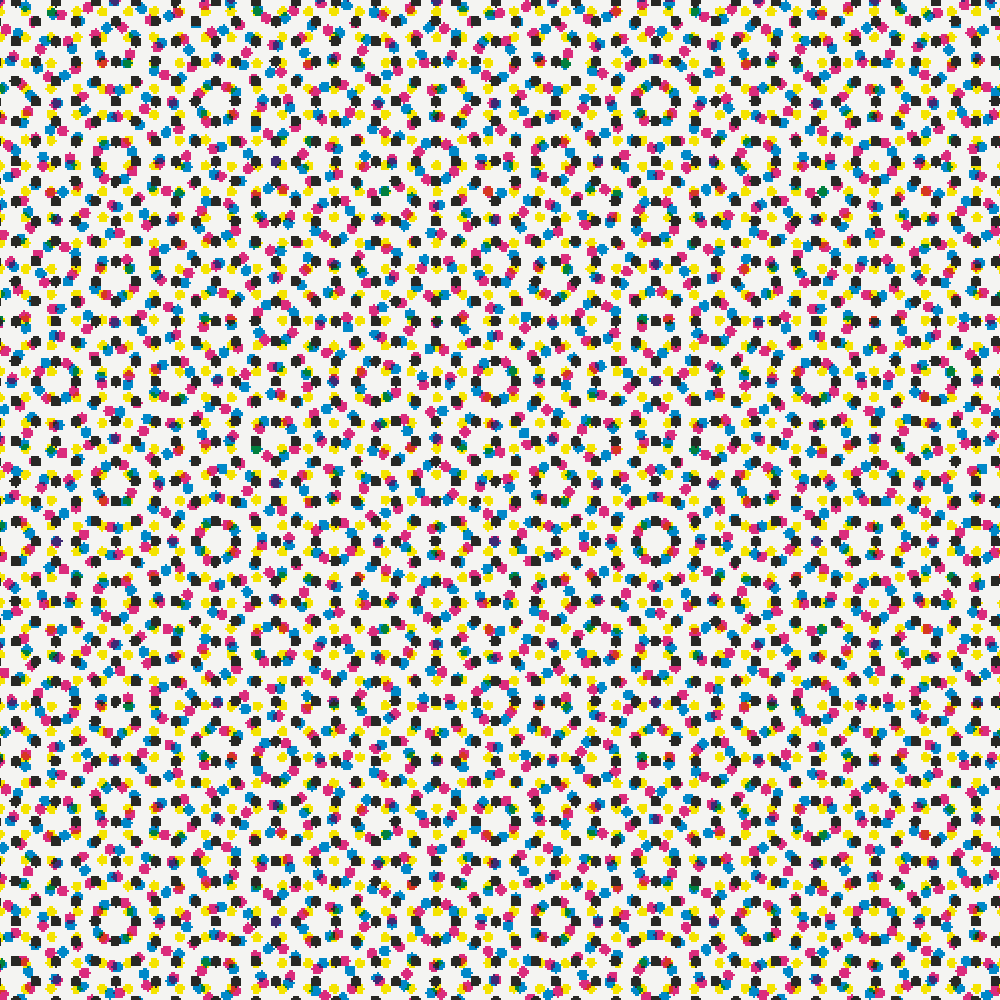
3. What an Authentic Rosette Looks Like
Under 40–60× magnification, real Pokémon cards show these features:
-
Dots are round and uniform: They have the same size and clean edges. -
Colors are separated but overlap cleanly: You’ll see distinct cyan, magenta, and yellow dots. -
Angles form predictable star or flower shapes: This creates a regular repeating structure with no randomness. -
Sharp details without blur: Text edges look like "staircase patterns" of tiny dots, not fuzzy clouds.
4. The Fake Gallery: How Counterfeit Rosettes Fail
Below are the four most common fake print types, with real magnified comparisons collectors can understand instantly.
Fake Type 1: Home Inkjet or Laser Printer
Signs of a fake:
-
Random noise instead of patterned dots -
Dots with irregular sizes -
Ink bleed and fuzzy edges -
Colors smear instead of overlaying cleanly
"Imagine TV static—random, messy, noisy. That’s inkjet when magnified."
Fake Type 2: Low-Quality Factory Offset
These factories try to imitate rosettes but cannot hit the precision of Nintendo’s printing partners.
Signs of a fake:
-
Dots are stretched, oval, or distorted -
Rosette pattern is irregular -
Color dots are misaligned, creating colored shadows -
Visible blur or color “ghosting”
"Like someone trying to draw flowers by hand—close, but each one looks a little wrong."
Fake Type 3: Scanned → Reprinted Bootlegs
Counterfeiters scan a real card and then reprint it. Scanning causes unavoidable visual artifacts.
Signs of a fake:
-
Moiré waves or ripples -
Blocky pixel patterns -
Compression dots -
Softened edges
"It’s like taking a picture of a picture—the hidden pattern breaks."
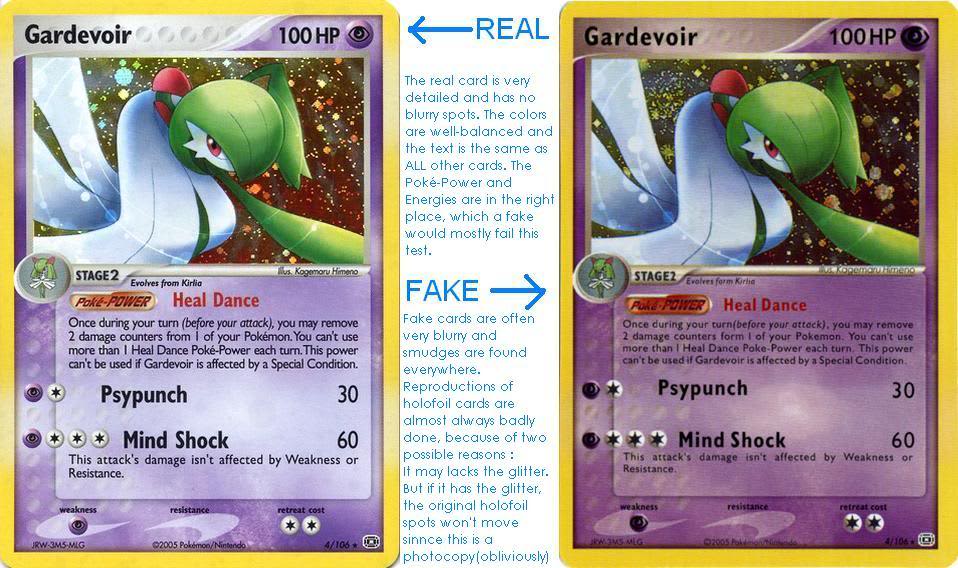
Fake Type 4: Solid-Color (No Dots)
Some counterfeiters give up and print with solid colors.
-
Large, flat color blocks. -
No dots, which is an instant sign of a fake. -
An appearance that is too smooth or plastic-like.
"It looks like a sticker instead of printed ink."
5. Collector’s Toolkit: How to Inspect Your Cards at Home
You don’t need expensive gear. Here’s the Supetrix-approved simple setup:
5.1 Required Tools
| Tool | Purpose |
|---|---|
| 60× LED jeweler’s loupe | Best balance of zoom and clarity |
| USB microscope (50–1000×) | For taking photos and cataloging |
| White LED desk light | Clear, shadow-free lighting |
| A known real Pokémon card | The best comparison tool |
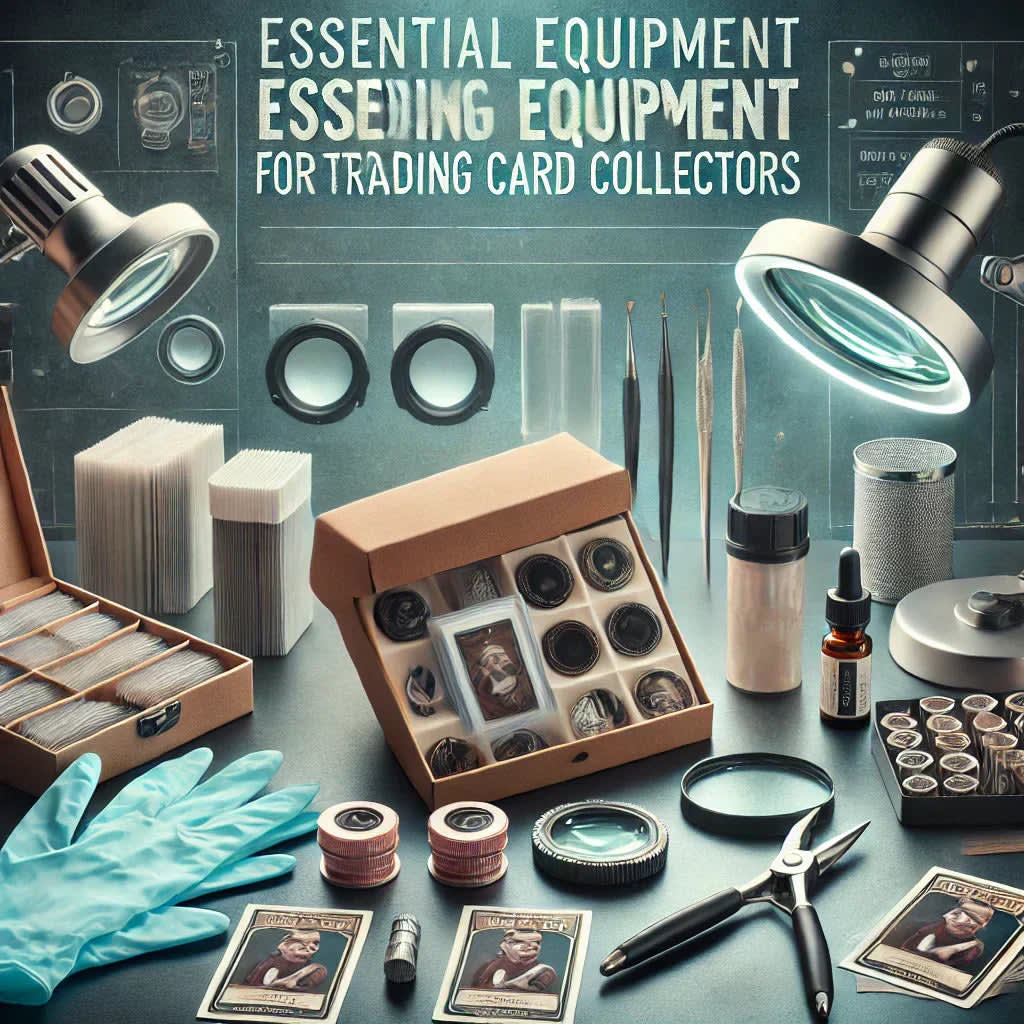
Supetrix recommendation: Add a dedicated “verification kit” section with loupes and USB microscopes in your store for collectors.
5.2 How to Inspect a Pokémon Card (Step-by-Step)
-
Choose the right lighting
Use a bright white LED and shine it at a 30–45° angle. -
Check these high-value areas
-
Yellow border -
Energy symbols -
Attack icons -
Text edges -
Card back swirl areas
-
-
Look for the rosette
Rotate the card slightly, as the rosette pattern often becomes clearer at certain angles. -
Compare with a confirmed real card
Even if you cannot see the rosette clearly, differences become immediately apparent when placed next to a genuine card. -
Take a photo and store it
Start building your own "real vs. fake" photo library for future reference.
6. Build Your Own Rosette Reference Library (Suprpetrix Community Project)
Suprpetrix collectors can upload macro photos and contribute to a growing global reference bank with features like:
-
Authentic dot patterns categorized by set -
Side-by-side examples of fakes -
Community verification of submissions -
A permanent educational library for all collectors
This creates the Pokémon TCG equivalent of a “banknote anti-counterfeit image database.”

7. Additional Authenticity Checks (Use With Rosette)
While analyzing the rosette pattern is highly effective, combining it with other methods increases your certainty.
-
Light test: Real cards are more opaque and block more light. -
Tactile feel: Authentic cards feel firm and have a consistent texture. -
Cutting & corner uniformity: Check for precise, evenly cut edges and rounded corners. -
Holo pattern behavior: Observe how the holographic foil reacts to light. -
Font accuracy: Ensure the typography matches that of official cards.
📚 Further Reading / References
Here is a curated list of trusted resources for readers who want to dive deeper into offset printing, rosette formation, halftone screens, and common counterfeit artifacts. These links enhance the authority of your article and support SEO best practices.
1. Rosette Pattern Fundamentals
Ken the Book Printer — “What Is a Rosette Pattern?”
A very clear explanation of how CMYK halftone screens overlap to create a rosette.
👉 https://kenthebookprinter.com/resource/printing-term/rosette-pattern/71
PrintWiki — “Rosette”
A beginner-friendly encyclopedia entry describing dot-centered and clear-centered rosettes.
👉 https://printwiki.org/Rosette
2. Halftone Screens & Screen Angles
Printing Technologist Blog — “Color Halftone and Screen Angles”
Describes standard CMYK screen angles (C:15°, M:75°, Y:0°, K:45°) and how they affect moiré and rosette formation.
👉 https://printingtechnologist.blogspot.com/2011/07/color-halftone-and-screen-angles.html
3. Moiré & Scanning Artifacts
ImageSmith Blog — “What Is a Moiré?”
Explains why moiré interference patterns occur in printed materials and scanned images.
👉 https://www.imagesmithblog.com/2011/07/12/what-is-a-moire/
4. Professional Print Production Resources
Real World Print Production — PDF (Academic Reference)
A widely used industry textbook that covers halftone dots, line screens, ink behavior, and CMYK press accuracy.
👉 https://repositori.mypolycc.edu.my/bitstream/123456789/6217/1/%5BEbook%5D%20Real%20World%20Print%20Production%20-%20Title%20From%20Title%20Screen.pdf
5. Optional (Extra Reading for Serious Print Enthusiasts)
Hewlett-Packard Technical Note — Halftoning Principles
A concise explanation comparing digital halftoning vs. traditional analog halftoning.
👉 https://www.hpl.hp.com/techreports/98/HPL-98-91.pdf
Graphic Arts Technical Foundation — Offset Printing Basics
Industry material explaining ink transfer, plate structure, dot gain, and press registration.
👉 https://www.printing.org


